


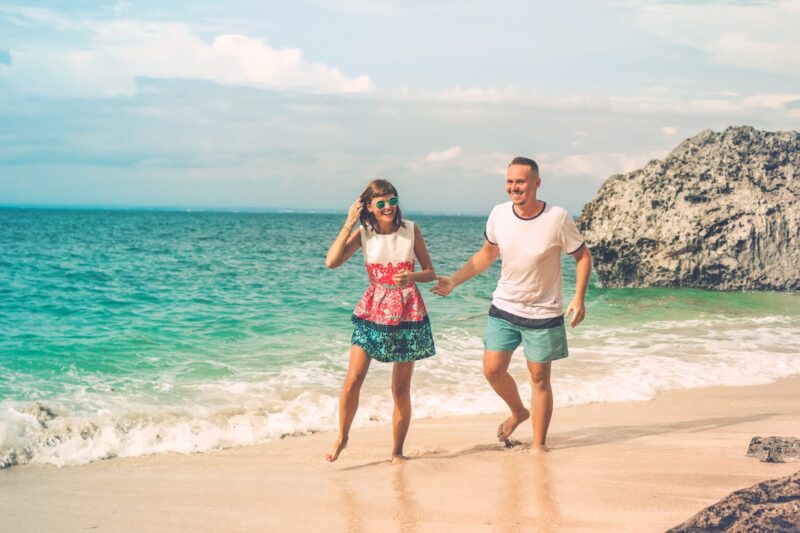
Banyak pengguna AI kini mencari prompt Gemini AI untuk edit foto di pantai karena hasilnya mampu meningkatkan kualitas visual secara signifikan.
Foto pantai biasanya membutuhkan penyesuaian warna, cahaya, dan detail agar tampil lebih hidup dan dramatis. Dengan bantuan AI, pengguna dapat mengubah suasana foto menjadi lebih estetik hanya dengan instruksi yang tepat.
Itulah alasan mengapa penggunaan prompt Gemini AI untuk edit foto di pantai yang akurat sangat penting untuk mendapatkan hasil terbaik.
Artikel ini merangkum berbagai ide prompt Gemini AI untuk edit foto di pantai yang bisa langsung dipakai untuk berbagai gaya visual.
ADVERTISEMENT
SCROLL TO RESUME CONTENT
Prompt Gemini AI untuk Edit Foto di Pantai
Berikut adalah kumpulan prompt Gemini AI untuk edit foto di pantai yang dapat meningkatkan kualitas gambar secara drastis.
- Enhance this beach photo with warmer tones, brighter sunlight, and natural skin color correction.
- Boost ocean clarity with turquoise tones while keeping the subject sharp and realistic.
- Add golden-hour lighting to this beach portrait with soft shadows and warm highlights.
- Remove unwanted people and objects from the beach background for a clean, minimal look.
- Replace cloudy skies with a bright blue sky and gentle white clouds for a sunny beach vibe.
- Increase wave texture and detail while preserving natural lighting on the subject™s face.
- Apply cinematic color grading with deeper shadows and vivid blue ocean tones.
- Add a soft sunset glow behind the subject with warm, dreamy lighting.
- Improve skin texture naturally and balance exposure for a clean beach portrait look.
- Sharpen sand and water details while reducing noise and improving overall clarity.
- Add vibrant tropical colors with bright teal water and warm golden sand.
- Fix harsh sunlight on the face and soften shadows without losing natural tones.
- Enhance underwater reflections and boost clarity for a near-water portrait effect.
- Apply editorial-style beach retouching with soft contrast and balanced highlights.
- Increase depth in the background while enhancing facial features naturally.
- Enhance sunset colors with orange, pink, and purple tones while keeping the subject natural.
- Create a high-resolution beach aesthetic with enhanced textures and smooth lighting.
- Boost contrast between sky, sand, and ocean for a crisp, professional beach look.
- Brighten eyes naturally and match skin tones with the warm beach environment.
- Add soft sun rays behind the subject for a dreamy beach portrait effect.
- Make the ocean appear more transparent with deeper blue gradients.
- Apply warm tropical color grading with smooth highlights and minimal haze.
- Reduce glare on the face and improve color balance for outdoor beach lighting.
- Enhance hair details while reducing wind blur and improving overall sharpness.
- Apply vibrant summer tones with saturated blues and skin-friendly warmth.
- Add dramatic sunset lighting with stronger shadows and rich orange hues.
- Make the sky more vibrant with enhanced cloud contrast and deeper blues.
- Repair overexposed areas and restore natural detail in bright beach light.
- Boost saturation gently for a soft tropical finish without oversharpening.
- Create a vintage beach aesthetic with faded tones and warm highlights.
- Generate a soft pastel beach color palette with light blues and peach tones.
- Apply HDR enhancement for detailed sand and wave textures.
- Smooth skin naturally while keeping facial features sharp and realistic.
- Add subtle lens flare for a sun-kissed beach portrait effect.
- Enhance subject isolation by adding depth blur to the beach background.
- Make waves more dramatic with higher contrast and deeper shadows.
- Brighten overall exposure and enhance dynamic range for a clean beach photo.
- Replace midday lighting with soft sunset tones without losing skin detail.
- Apply glossy beach aesthetic with sharp reflections and vivid water highlights.
- Make the sand appear cleaner and brighter with minimal color distortion.
- Add tropical foliage shadows for a natural framing effect on the subject.
- Increase vibrancy of ocean foam while keeping water movement natural.
- Enhance swimming or water activities with splash effects and clearer motion.
- Remove haze from the photo to reveal clean blue skies and sharp coastline.
- Add dreamy bokeh sunspots to enhance warm beach atmosphere.
- Sharpen horizon line and increase depth for a cinematic beachfront scene.
- Fix uneven skin tone caused by harsh sunlight exposure at the beach.
- Boost color vibrancy specifically for beachwear and accessories.
- Enhance reflections on wet sand for a glossy, polished beach look.
- Apply realistic summer glow to the subject with warm highlights and soft contrast.
Menggunakan prompt Gemini AI untuk edit foto di pantai ini akan menjadikan hasil yang didapat sesuai dengan keinginan.
Cara Menggunakan Prompt Gemini AI untuk Edit Foto di Pantai yang Benar
Untuk menggunakan prompt Gemini AI untuk edit foto di pantai, cukup buka aplikasi atau situs Gemini, lalu unggah foto yang ingin diedit.
Halaman : 1 2 Selanjutnya